Video voice translator
A voice translator for your video. Same picture, same music, new language.
Upload a video file and choose English or another of the 28 target languages. DubSync translates the spoken audio: each speaker gets a dubbed voice created from their own, your music and background sound stay, and the picture is left as it was. You download an MP4.
Upload my videoPro: 7 days free for eligible new subscribers, with 60 minutes. Card required. Then $29.90/month; cancel before the trial ends to pay nothing. Trial minutes expire after 7 days.
Upload an MP4, MOV or M4V. You see the minutes and the cost before anything starts.
What is said: For thousands of years, this coast has looked the same. Only the language of the story changes.
What is said: Durante miles de años, esta costa ha lucido igual. Solo el idioma de la historia cambia.
Demo clip: an AI-generated scene with a fictional character. Dubbed with VDub v2, the model DubSync runs; lip-synced tracks use VSync v2.
- 28 target languages
- Up to 150 min / 1 GB per video
- MP4 out, no visible watermark
- Background audio kept
- Pay per input minute
What a voice translation changes
One layer of your video is replaced. The rest stays.
A finished video is a picture plus a sound mix of speech, music, effects and room noise. Translating the audio means swapping the speech and leaving everything else alone.
Speech: replaced
The spoken language is detected, translated and spoken again in the language you chose, in a voice created from each original speaker. It should sound similar to them, not identical.
Music and background: kept
Your music, effects and room sound stay under the new voice. You upload the finished video with the whole mix in it, not separate tracks.
Picture: unchanged
Same shots, same cuts, same titles on screen. A dub changes what you hear, not what you see. The one exception is the optional lip-sync add-on, which changes mouth movement.
Narration and voice-over
When nobody is on camera, there are no lips to match.
Voice-over is the simplest case for a dub
Documentaries, faceless explainers, screen recordings, slideshows, product films and narrated animation carry their speech as a voice over the picture. Replace that voice and there is no mouth on screen for it to disagree with. Play the demo ad and switch the language under it.
- Skip the lip-sync add-on. It is for faces that speak to the camera, and here there are none.
- The video keeps its length, so the new narration has to fit the time the old one took. Some languages need more words for the same idea, and short pauses between sentences give them room.
- Titles, labels and captions that are part of the picture stay in the original language. If they matter, replace them in your editor.
What is said: One film, one voice, ready for every market where your coffee is sold.
What is said: Una película, una voz, lista para cada mercado donde se vende tu café.
Demo clip: an AI-generated scene with a fictional character. Dubbed with VDub v2, the model DubSync runs; lip-synced tracks use VSync v2.
More than one voice
Two speakers in, two voices out.
Each speaker is told apart and keeps a voice of their own
Interviews, podcasts filmed on video, panel talks and dialogue scenes put several voices in one track. DubSync tells the speakers apart and gives each one a voice in the new language created from their own, so a host and a guest should still sound like two different people. The demo clip has two fictional hosts: switch the language and listen for both. Where the player marks a track as lip-synced, that track also has the optional lip-sync add-on.
- You don't mark who speaks when or pick voices from a list. Both happen automatically.
- Turn-taking dubs best. When people talk over each other, or a crowd joins in, voices can get mixed up.
- Watch the result from start to finish and check that every speaker keeps one voice.
- Everyone who speaks has to agree to their voice being dubbed, guests included.
What is said: So every guest keeps their own voice? Exactly. Exactly. Two speakers in, two voices out in the new language. Yeah.
What is said: ¿Entonces cada invitado mantiene su propia voz? Exactamente, exactamente. Dos hablantes entran, dos voces salen en el nuevo idioma.
What is said: Então cada convidado mantém sua própria voz? Exatamente, exatamente. Dois falantes entram, duas vozes saem no novo idioma.
Demo clip: an AI-generated scene with a fictional character. Dubbed with VDub v2, the model DubSync runs; lip-synced tracks use VSync v2.
Lip-sync shown in these examples is an optional paid add-on, separate from the dubbing trial.
From file to file
How to translate audio from a video.
Four steps. The only thing you prepare is the export.
Export the finished video
DubSync accepts MP4, MOV and M4V files up to 150 minutes and 1 GB. Keep the full mix in it: voice, music and effects together. Minutes are counted for the whole file, so cut out anything you don't want dubbed.
Upload it and choose the language
The spoken language is detected for you. You choose the target, one of 28 languages. A second language is a second project and uses the video's minutes again.
Check the minutes and confirm
You see how many input minutes the video needs and what they cost. The dub starts only after you confirm your rights, every speaker's consent and the dub itself.
Download the dubbed MP4
Listen to all of it before you post it, ideally with someone who speaks the language. There is no script editing, so the only way to change a line is in the original: reword or cut that sentence, export again and run a new dub. A new dub uses the minutes again.
After the download
What to do with the dubbed file.
Post it as a video
The MP4 is an ordinary video file with no visible watermark. Upload it to TikTok, Reels, a course platform, your own site or a channel you run in that language.
Add it to YouTube as an audio track
YouTube lets you attach audio tracks in other languages to one video or Short, new or already published. The track defaults to the viewer's preferred language, which YouTube works out from watch history, and viewers can switch it in the player settings.1
Add lip-sync where a face speaks
For a talking head or an ad with a close-up, lip-sync can be added to a finished dub of up to 5 minutes. It works best with a clearly visible face. It is an optional paid add-on, priced per minute for the whole video, and you see the quote before it starts.
In September 2025, YouTube reported that creators who uploaded multi-language audio tracks got, on average, more than 25% of their watch time from views in a language other than the video's primary one.2 That is an average across creators who already used the feature, not a forecast for your channel.
Sound check
Audio that translates well, and audio that needs care.
Works well
- Narration recorded close to the microphone, with little echo.
- Music and effects that sit clearly below the voice.
- Interviews and video podcasts where people take turns.
- Lessons, explainers, product films, ads and animation.
Take care
- Songs and rap: speech dubbing isn't made for singing.
- Loud music, wind or crowd noise over the words.
- People talking over each other.
- Legal, medical and safety wording: have a qualified native speaker check it.
These weak spots aren't unique to one tool. YouTube names mispronunciations, accents, dialects and background noise in the original video as causes of errors in its own automatic dubs.3
28 target languages
Which language should the audio be in?
You never set the language your video is in; you only choose where it goes. Each language has its own page with a demo clip, and English has a page for dubbing a video into English.
All languagesBefore you upload
Translate only the voices you have the right to translate.
YouTube lists cloning your own voice for a voice-over or a dub among the uses of AI that creators don't have to disclose. It does require disclosure when AI-generated or altered content makes a real person appear to say or do something they didn't.4 The first example covers your own voice only, so if other people speak in your video, get their consent and read the rule before you post. Other platforms have their own rules too.
Questions
Questions before you start
What is a video voice translator?
A tool that replaces the speech in a video with the same words spoken in another language. DubSync detects the spoken language, translates it, creates a voice from each speaker and mixes the new speech over your original music and background sound. The new voice should sound similar to the speaker, not identical. You download a dubbed MP4.
Can I translate the audio of a video into English?
Yes. English is one of the 28 target languages, and the language spoken in your video is detected automatically. You only choose English as the target.
Is the voice translator free?
No. DubSync has no free plan. You pay per input minute: the length of your original video, counted once for each target language. The pricing page lists the current plans, and a trial when one is offered.
Can I upload an MP3, a WAV or another audio file?
No. The upload has to be a video file: MP4, MOV or M4V. A podcast or an interview that was recorded as video is fine. A recording that exists only as audio is not accepted.
Can I download only the translated audio, or a transcript?
No. The result is one dubbed MP4. If you need the audio on its own, for example for a YouTube audio track, export it from the MP4 in any video or audio editor. DubSync doesn't make transcripts or subtitle files.
Does my background music survive?
Music, effects and room sound are kept under the new speech. Clear speech with the music well below the voice gives the cleanest result. Songs are a different matter: speech dubbing isn't made for sung vocals.
Can it translate a live stream, a call or a video I'm watching online?
No. DubSync works on a finished video file that you upload, and only one you own or have licensed. It doesn't translate in real time, and it doesn't take links to videos on other sites.
Doesn't YouTube already translate the audio of my videos?
It may. Automatic dubbing is switched on by default for eligible creators and adds translated audio tracks to the video on YouTube, and you can unpublish or delete a track in YouTube Studio.3 On YouTube that can be all you need. DubSync is for when you want a file you can post outside YouTube as well, with a voice created from each speaker.
Plans from $4.90/month. You see the minutes and the cost before anything starts. See pricing
Sources
- YouTube Help. Add Multi-language features to your videos (help article 13338784). Accessed Oct 3, 2026.
- YouTube Official Blog. Unlock a world of viewers with multi-language audio. Published Sep 10, 2025; accessed Oct 3, 2026.
- YouTube Help. Use automatic dubbing (help article 15569972). Accessed Oct 3, 2026.
- YouTube Help. Disclosing use of GenAI content. Accessed Oct 4, 2026.
Keep exploring
Related pages
 ProductAI video translatorTranslate your video into 28 languages with a voice created from each speaker.
 ProductAI dubbingWhat AI dubbing is, how it compares with subtitles and a studio dub, and how to dub your own video.
- ProductDub a video into EnglishUpload your video and download an English MP4 with a voice for each speaker.
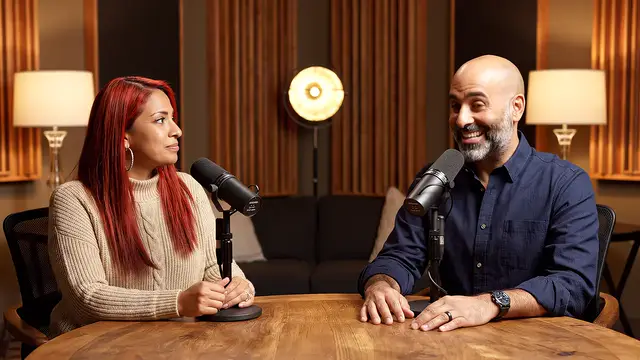 Use caseTranslate a podcastDub video podcasts and interviews: a voice for each speaker, guest consent and where to start.
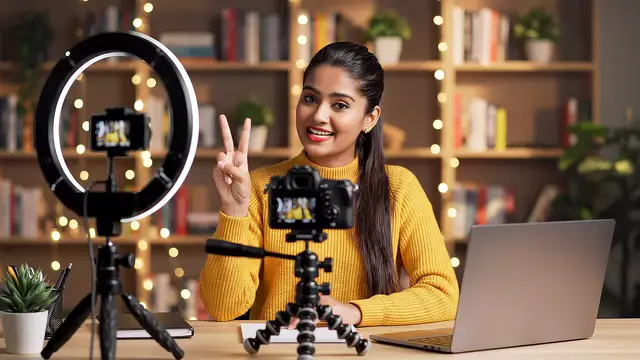 GuideMulti-language audio guideAdd an English audio track, or choose a separate channel.
 LessonDub vs sub for creatorsHow dubbing and subtitles compare on reach, accessibility and cost, and when to use both.
Start with one file
Hear your video in another language.
Upload it, see the minutes, then decide.
Upload my videoOnly upload videos you have the rights to, with every speaker's permission.