AI dubbing
AI dubbing for your video. Recorded once, heard in another language.
AI dubbing is video dubbing done by software instead of a recording studio. Upload a video and DubSync translates the speech, gives each speaker a voice created from their own, keeps your music and background sound, and returns a dubbed MP4 in one of 28 languages.
Upload my videoPro: 7 days free for eligible new subscribers, with 60 minutes. Card required. Then $29.90/month; cancel before the trial ends to pay nothing. Trial minutes expire after 7 days.
Upload an MP4, MOV or M4V. You see the minutes and the cost before anything starts.
What is said: Grabé este video una sola vez en español. Ahora puedes escucharlo en inglés con una voz como la mía.
What is said: I recorded this video only once in Spanish. Now you can hear it in English with a voice like mine.
What is said: Gravei este vídeo uma única vez em espanhol. Agora você pode ouvi-lo em inglês com uma voz como a minha.
Demo clip: an AI-generated scene with a fictional character. Dubbed with VDub v2, the model DubSync runs; lip-synced tracks use VSync v2.
Lip-sync shown in these examples is an optional paid add-on, separate from the dubbing trial.
- 28 target languages
- A voice created from each speaker
- Background audio kept
- MP4 out, no visible watermark
- Pay per input minute
What AI dubbing is
What AI video dubbing does, step by step.
A dub replaces the speech in a video with the same lines in another language, so viewers listen instead of reading. In AI dubbing, software does the work a studio gives to translators, voice actors and a mixing engineer. This is what happens to your file in DubSync.
It works out who says what
The spoken language is detected and the speakers are told apart. You set neither.
It translates the speech
Every line is translated into the language you chose. This step is automatic and DubSync doesn't offer script editing, so the place to check the translation is the finished video.
It voices each speaker again
A voice is created from each speaker it found and used for that person's lines, so an interview isn't flattened into one narrator.
It rebuilds the soundtrack
The new speech is mixed over your original music, effects and room sound. You download one MP4 with no visible watermark.
Your own part is short: upload the file, choose the language, check the minutes and the cost, confirm your rights and every speaker's consent, and start. The lesson on how to dub a video walks through it.
Subtitles, studio or AI
AI dubbing, subtitles or a studio dub?
All three put a video in front of people who don't speak its language. They differ in what the viewer has to do, who does the work and how much of it you control.
Subtitles
The viewer reads a translation while the original voice plays. Subtitles are usually the cheapest route, and the first step is often automatic: YouTube can create captions for a video with speech recognition.1 Reading keeps the eyes on the text, so subtitles don't suit young children or anyone who only listens. DubSync doesn't make subtitle files. See dubbing vs subtitles.
A studio dub
People do every step. Netflix's mixing guide for dubbed content names translation, adaptation, performances and recordings as the steps behind a dub, with mixing as the final pass.2 You get human judgment on every line and pay a team for every language.
An AI dub
Software does those steps from your finished video, with no casting and no recording session. What you give up is line-by-line control: you get a finished dub and judge it by listening.
| Studio dub | AI dub in DubSync | |
|---|---|---|
| Voices | Voice actors cast for each role | A voice created from each original speaker: similar, not identical |
| Translation | Adapted by a person, line by line | Automatic, with no script editing. You check the finished video |
| Music and effects | A separate track. The mixer sets the new dialogue into it and leaves it unaltered2 | Separated from your finished mix automatically and kept under the new speech |
| A good fit for | Films, series and campaigns where every line gets reviewed | Creator videos, course lessons, product videos, ads and narrated footage |
AI voice dubbing
Each speaker gets a voice created from their own.
One speaker, heard in other languages
There is no voice library to pick from and no sample to record. The voice for each person is created from that person's speech in your video, then used for their lines in the new language.
Play the original of this demo clip, then switch to Japanese, German or Hindi and listen for how much of the speaker carries over. The streamer is a fictional character in an AI-generated scene, not a customer.
- Expect a voice that is similar to the original, not identical.
- Everyone who speaks in the video has to agree to their voice being dubbed.
What is said: Same gameplay, same energy. My walkthroughs now speak Spanish and Portuguese too.
Demo clip: an AI-generated scene with a fictional character. Dubbed with VDub v2, the model DubSync runs; lip-synced tracks use VSync v2.
Music and background sound
Your music and background sound stay under the new speech.
A studio has the music and effects on a track of their own. Most creators only have the finished mix. AI dubbing starts from that: the speech is separated from everything else and replaced, and the rest goes back underneath.
Dubs cleanly
- A voice recorded close to the microphone, with little echo.
- People who take turns instead of talking over each other.
- Short pauses between sentences. The same idea often needs more words in another language.
Take care
- Songs and rap. Speech dubbing isn't made for singing.
- Loud music, wind or a crowd on top of the words.
- Very fast speech. The dub has to fit the time the original took. YouTube lists speech that is too fast among the reasons a video may not get its own automatic dub.3
- Proper nouns, idioms and jargon. YouTube says its automatic dubs can have trouble translating all three,3 so ask a native speaker to check the names and terms in your result.
Lip-sync
Add lip-sync when a face carries the video.
A plain dub and a lip-synced dub
A dub changes the sound. The mouth on screen still forms the words of the original language, which shows most in a close-up. Lip-sync is an optional paid add-on for a finished dub that adjusts the mouth movement to the new language.
Switch between the tracks of this demo clip. The label on the picture says whether a track is only dubbed, which means new audio over the original picture, or dubbed and lip-synced.
- It is priced per minute of the dubbed video, and you see the quote before it starts.
- One run takes a dub of up to 5 minutes. The whole video is charged, including scenes without a face.
- It works best with a clearly visible face. Narration, screen recordings and cartoons don't need it.
- Footage, price and limits are on the AI lip sync page.
What is said: Hoy preparo salsa verde como en casa. Y esta receta ahora también se entiende en inglés.
What is said: Today I am making green sauce like at home, and this recipe is now also understood in English.
What is said: Hoje preparo salsa verde como em casa e esta receita agora também é entendida em inglês.
Demo clip: an AI-generated scene with a fictional character. Dubbed with VDub v2, the model DubSync runs; lip-synced tracks use VSync v2.
Lip-sync shown in these examples is an optional paid add-on, separate from the dubbing trial.
Limits
What goes in and what comes out.
The target languages include English, Spanish, Portuguese, French, German, Hindi, Japanese and Korean.
All languages- Target languages
- 28
- The spoken language is detected for you
- Minutes per video
- 150
- Split a longer video before you upload
- File size
- 1 GB
- MP4, MOV or M4V
- Lip-sync per run
- 5 min
- Optional, on a finished dub
- The upload is a video file. Links can't be imported, and audio-only files aren't accepted.
- The result is one dubbed MP4. There are no subtitle files, transcripts or separate audio tracks.
- A dub changes the audio only. Text on screen, titles and thumbnails stay in the original language.
- DubSync doesn't post the video anywhere. You download the MP4 and upload it to your platforms yourself.
What it costs
AI dubbing in DubSync is paid per input minute.
An input minute is one minute of the video you upload. What a dub uses depends on the length of your original, not on the number of speakers or the language you choose.
Counted by length
Length is counted to the second, for the whole file. Cut out anything you don't want dubbed before you upload.
Once per language
Each target language is its own project. A 10-minute video dubbed into English and Spanish uses 20 input minutes.
Shown before the start
You upload first and see the minutes and the cost. Nothing starts until you confirm, and downloading the result again uses no minutes.
Lip-sync is separate
It isn't paid in input minutes. It has its own per-minute price and its own quote.
Input minutes come with a monthly plan or a one-time pack.
Plans from $4.90/month. You see the minutes and the cost before anything starts. See pricing
Before you upload
Dub only the videos and voices you have the right to dub.
On YouTube, cloning your own voice for a voice-over or a dub is on the list of uses that don't need AI disclosure. Content that makes a real person appear to say or do something they didn't does need it, and YouTube states that disclosing AI content doesn't limit a video's audience or its eligibility to earn money.6 That exemption is about your own voice, so for anyone else who speaks in the video, get their consent and check the rule. Other platforms set their own rules, so check them before you post.
Questions
Questions before you start
Is AI dubbing free?
Two platforms have dubbing built in at no charge. YouTube's help page lists no fee for automatic dubbing,3 and Meta says translating Reels with Meta AI is free.5 Each works on videos posted to its own platform. DubSync is a paid tool with no free plan: you pay per input minute and download an MP4. The free video translator page compares the three.
Is auto dubbing the same as AI dubbing?
Auto dubbing usually means AI dubbing that a platform runs on the videos posted to it. YouTube's automatic dubbing adds translated audio tracks to a video and marks it as auto-dubbed in the description.3 DubSync does the same kind of work on a file you upload and returns an MP4 that you post yourself, wherever you upload video.
Does AI dubbing sound robotic?
In DubSync the voice isn't a stock narrator. It is created from the real speaker, so expect it to sound similar, not identical. It is still synthetic speech and it can contain errors. YouTube says of its own automatic dubs that mispronunciations, accents, dialects and background noise in the original cause mistakes.3 Listen to the whole result before you publish, ideally with someone who speaks the language.
Can AI dubbing replace a dubbing studio?
For creator videos, lessons, product videos and many ads, an AI dub is often enough. A film or a series is different: a studio gives you an adapted script, directed performances and a person answerable for every line. In DubSync you can't change single lines, so work that needs line-by-line approval belongs in a studio.
Can I fix a mistake in the dub?
Not inside DubSync: there is no script editing. If a line is wrong, fix it at the source: re-record or cut that sentence, export the video again and dub it again. A new dub is a new project and uses the video's minutes again, so try a difficult passage as a short clip first.
Can I dub someone else's video, or paste a link?
No. You upload a video file that you own or have licensed, with the consent of everyone who speaks in it. Links can't be imported, and dubbing other people's films, shows or videos without permission isn't allowed.
What happens to my files?
Source files are scheduled for deletion after 7 days and exported videos after 30 days, so download your MP4 when it's ready. Deleting a project removes its stored media.
Plans from $4.90/month. You see the minutes and the cost before anything starts. See pricing
Sources
- YouTube Help. Use automatic captioning. Accessed Oct 5, 2026.
- Netflix Partner Help Center. Netflix Mixing Style Guide For Dubbed Content. Accessed Oct 5, 2026.
- YouTube Help. Use automatic dubbing. Accessed Oct 5, 2026.
- YouTube Official Blog. Unlocking a global audience with auto dubbing. Published Feb 4, 2026; accessed Oct 5, 2026.
- Meta Newsroom. Discover Reels From Around the World With Meta AI Translation. Published Oct 9, 2025; accessed Oct 5, 2026.
- YouTube Help. Disclosing use of GenAI content. Accessed Oct 5, 2026.
Keep exploring
Related pages
 ProductAI video translatorTranslate your video into 28 languages with a voice created from each speaker.
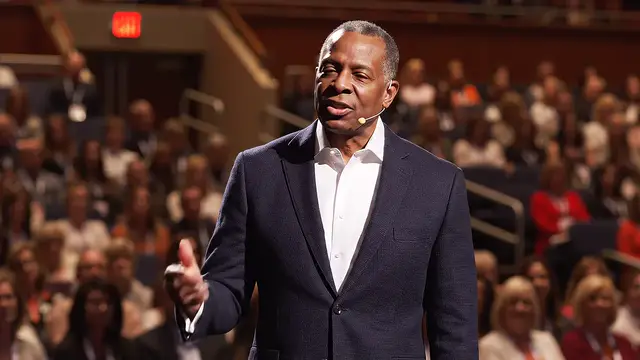 ProductAI lip sync for dubsMatch mouth movement to a finished dub: when it helps, when to skip it, limits and per-minute pricing.
 LessonDub vs sub for creatorsHow dubbing and subtitles compare on reach, accessibility and cost, and when to use both.
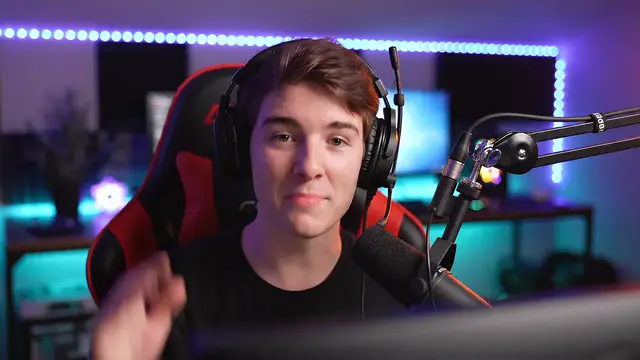 LessonYouTube auto dubbingWhat YouTube auto dubbing is and how to turn it off, review it or replace it with your own track.
- LessonHow to dub a videoSix steps to dub a video with AI: record, prepare, dub, lip-sync, check and publish.
- PricingMonthly plans or a one-time Minutes Pack, priced by input minute.
Hear it on your own video
The fair test of AI dubbing is a video you know by heart.
Upload it, see the minutes, then decide.
Upload my videoOnly upload videos you have the rights to, with every speaker's permission.