AI video translator
Translate your video. Keep every voice in it.
Upload the video you already made and choose one of 28 languages. DubSync translates the speech, gives each speaker a voice created from their own, keeps your music and background sound, and returns a dubbed MP4.
Upload my videoPro: 7 days free for eligible new subscribers, with 60 minutes. Card required. Then $29.90/month; cancel before the trial ends to pay nothing. Trial minutes expire after 7 days.
Upload an MP4, MOV or M4V. You see the minutes and the cost before anything starts.
What is said: I recorded this video once in English. Pick a language and hear the same video in a voice like mine.
What is said: Grabé este video una vez en inglés. Elige un idioma y escucha el mismo video en una voz como la mía.
Demo clip: an AI-generated scene with a fictional character. Dubbed with VDub v2, the model DubSync runs; lip-synced tracks use VSync v2.
Lip-sync shown in these examples is an optional paid add-on, separate from the dubbing trial.
- 28 target languages
- Up to 150 min / 1 GB per video
- MP4 out, no visible watermark
- Background audio kept
- Pay per input minute
What this video translator does
The speech changes language. The rest of your video stays.
Some video translators add translated subtitles. DubSync is the other kind: it dubs. You upload a file, and this is what comes back.
A voice for each speaker
Speakers are told apart automatically, and each one gets a voice in the new language created from their own. Expect it to sound similar, not identical.
Your sound stays
Background audio such as music, room tone and effects is kept under the new speech.
28 target languages
The spoken language is detected for you. You only choose the target, one language per project: English, Spanish, Portuguese, Hindi, Japanese and others.
An MP4 you download
The result is one video file with no visible watermark. You post it yourself: on YouTube, TikTok, Reels, a course platform or your own site.
Lip-sync as an add-on
For a talking head or an ad with a close-up, you can add lip-sync to a finished dub of up to 5 minutes. It is optional and paid per minute, and you see the quote before it starts.
The minutes before the work
You upload first and see how many input minutes the video needs and what that costs. The dub starts only after you confirm.
Hear it first
The same clip, in the language you pick.
Play it, then switch the language
This clip was made in English, and the other buttons play dubs of it. The picture stays the same and only the speech changes.
- Works for people on camera, narration over footage and animated characters.
- A track labeled lip-synced, like Spanish in the clip at the top of this page, also used the paid lip-sync add-on. The other dubbed tracks are the standard dub.
- Every demo on this site is an AI-generated scene with a fictional character, dubbed with the dubbing model the app runs. None of them is a customer video.
What is said: Hi, I'm Pip the Fox. My stories began in one language. Now, children can hear them in their own.
Demo clip: an AI-generated scene with a fictional character. Dubbed with VDub v2, the model DubSync runs; lip-synced tracks use VSync v2.
Upload. Translate. Download.
From your original to a dubbed MP4 in four steps.
Upload your original.
MP4, MOV or M4V, up to 1 GB and 150 minutes. We detect the spoken language for you.
Choose English or any of 28 languages.
We calculate the input minutes your video needs before you pay anything.
Review and confirm.
See the minutes and the cost, confirm your rights and every speaker's voice consent, then start the dub.
Download your MP4.
A voice for each speaker, your background audio kept and no visible watermark. Add lip-sync if you need it, priced per minute.
What you can translate
One tool, very different videos.
Whatever the format, it has to be a video you made or have licensed for translation. Someone else's film, show or cartoon doesn't qualify.
All use cases Use caseAnimation and cartoon dubbingDub your own cartoons: a voice per speaker, what to do with songs, lip-sync and made-for-kids rules.
 Use caseVideo ad localizationDub a proven ad or UGC clip for a new market, and see what a dub leaves for you to localize.
 Use caseOnline course translationDub course lectures lesson by lesson, check technical terms, and know what Udemy and Skillshare allow.
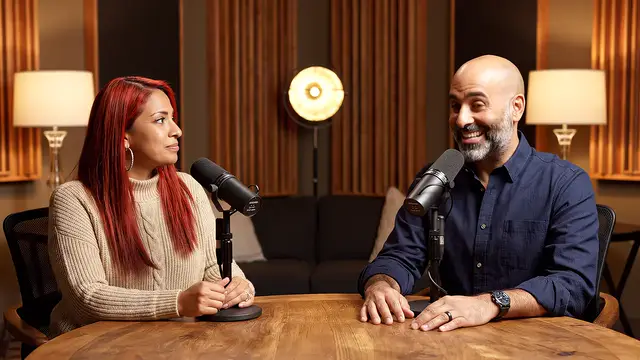 Use caseTranslate a podcastDub video podcasts and interviews: a voice for each speaker, guest consent and where to start.
 Use caseMovie translator for filmmakersDub a film you made or licensed: limits for feature-length files, festival rules, rights and cast consent.
 Use caseTranslate training videosDub onboarding and training videos for teams abroad: presenter consent, native review, file deletion.
Fit check
Where it works well, and where to take care.
Works well
- Clear speech recorded close to a microphone.
- One to a few speakers who don't talk over each other.
- Tutorials, lessons, vlogs, product videos, ads and narrated footage.
- Animation and voice-over, where no lips need to match.
Take care
- Songs and rap: speech dubbing isn't made for singing.
- Fast overlapping arguments or crowds: voices can get mixed up.
- Legal, medical and safety wording: have a qualified native speaker check it.
- Text on screen, captions and thumbnails: a dub changes the audio only.
- Files over 150 minutes or 1 GB: split the video before you upload.
DubSync or YouTube's own dubbing
YouTube has dubbing built in. Here's when DubSync is worth paying for.
YouTube's automatic dubbing is switched on by default for eligible creators and adds translated audio tracks to the video on YouTube. Its help page lists no fee.1 If that covers what you need, use it. DubSync is for what it leaves out: a file to post outside YouTube, a language pair YouTube doesn't offer, or a voice created from each speaker.
| YouTube automatic dubbing | DubSync | |
|---|---|---|
| Cost | Built into YouTube Studio; YouTube Help lists no fee1 | Paid per input minute: monthly plans or a one-time pack |
| What you get | Translated audio tracks on that YouTube video1 | A dubbed MP4 you download and post wherever you upload video |
| Voices | Generated automatically; in some languages, expressive speech follows the speaker's pitch and intonation1 | A voice created from each original speaker |
| Languages | Fixed pairs: English videos get the widest choice, and most other languages are dubbed into English only.1 YouTube counted 27 languages in February 20262 | Any of 28 target languages; the spoken language is detected automatically |
| Checking the result | Dubs are published according to your settings; choose manual publishing to review them first, and unpublish or delete a dub later1 | You watch the MP4 before you post it; there is no script editing |
| Lip-sync | Experimental, with early access for select channels1 | Optional paid add-on, up to 5 minutes per run |
28 target languages
Choose where your video goes next.
Each linked language opens a page with demo clips dubbed into it. For English, see dub a video into English.
All languagesBefore you upload
Translate only what is yours to translate.
On YouTube, cloning your own voice for voice-overs or dubs is on the list of things you don't have to disclose as AI content. Making a real person appear to say or do something they never did still needs disclosure, and YouTube says disclosing doesn't limit a video's audience.4 That exemption is about your own voice: for anyone else who speaks in the video, get their consent and check the rule. Other platforms set their own rules.
Questions
Questions before you start
What does an AI video translator do?
It puts the speech of a video into another language, either as translated subtitles or as a dub. DubSync dubs: it detects the spoken language, translates it, gives every speaker a voice created from their own and mixes it over your background audio. You download an MP4.
Do I get subtitles too?
No. DubSync makes a dubbed video, not a subtitle or transcript file. If captions are all you need, a subtitle tool or your platform's own captions are the better fit.
Is there a free plan?
No. DubSync is paid per input minute: the length of your original video, counted once for each target language. Current plans, and a trial when one is offered, are on the pricing page.
Can I paste a YouTube or TikTok link?
No. You upload the original video file (MP4, MOV or M4V), and only a video you have the rights to. Use the file you exported from your editor or recorded on your phone.
Does it work online, or do I install something?
It works in your browser, with nothing to install. Processing runs on the server, so once you have confirmed the dub you can close the page and come back for the MP4.
Will the translated voice sound like the speaker?
Each voice is created from the original speaker, so it should sound similar, not identical. Clear speech with little background noise gives the best result.
How long can the video be?
Up to 150 minutes and 1 GB per file. Each target language is its own project and uses the video's minutes again.
Can I correct the translation before the dub?
No. DubSync doesn't offer script editing, and an AI translation can contain mistakes. Watch the finished MP4 before you post it, ideally with someone who speaks the language.
Is lip-sync included?
No. It is an optional paid add-on for a finished dub of up to 5 minutes, priced per minute for the whole video. You see the quote before it starts, and it works best with a clearly visible face.
What happens to my files?
Source files are scheduled for deletion after 7 days and exported videos after 30 days, so download your MP4 when it's ready.
Plans from $4.90/month. You see the minutes and the cost before anything starts. See pricing
Sources
- YouTube Help. Use automatic dubbing (help article 15569972). Accessed Oct 5, 2026.
- YouTube Official Blog. Unlocking a global audience with auto dubbing. Published Feb 4, 2026; accessed Oct 5, 2026.
- YouTube Help. Add Multi-language features to your videos (help article 13338784). Accessed Oct 5, 2026.
- YouTube Help. Disclosing use of GenAI content. Accessed Oct 5, 2026.
Keep exploring
Related pages
 ProductAI dubbingWhat AI dubbing is, how it compares with subtitles and a studio dub, and how to dub your own video.
 ProductAI lip sync for dubsMatch mouth movement to a finished dub: when it helps, when to skip it, limits and per-minute pricing.
 ProductYouTube video translatorDub your own YouTube videos from the original file, then publish as an audio track or a language channel.
 LessonHow to translate a videoThree ways to translate a video, the steps from file to dubbed MP4 and how to check the result.
 LessonDub vs sub for creatorsHow dubbing and subtitles compare on reach, accessibility and cost, and when to use both.
- PricingMonthly plans or a one-time Minutes Pack, priced by input minute.
Start with one file
You made the video once. Hear it in another language.
Upload it, see the minutes it needs, then decide.
Upload my videoOnly upload videos you have the rights to, with every speaker's permission.