Podcast and interview translation
Translate your podcast. A voice for every host and guest.
Upload a video episode or an interview and choose English or another of the 28 target languages. DubSync translates the conversation, gives each speaker a voice created from their own, keeps your music and room sound, and returns a dubbed MP4. It works with video files, not audio-only recordings.
Upload my episodePro: 7 days free for eligible new subscribers, with 60 minutes. Card required. Then $29.90/month; cancel before the trial ends to pay nothing. Trial minutes expire after 7 days.
Upload an MP4, MOV or M4V. You see the minutes and the cost before anything starts.
What is said: So every guest keeps their own voice? Exactly. Exactly. Two speakers in, two voices out in the new language. Yeah.
What is said: ¿Entonces cada invitado mantiene su propia voz? Exactamente, exactamente. Dos hablantes entran, dos voces salen en el nuevo idioma.
What is said: Então cada convidado mantém sua própria voz? Exatamente, exatamente. Dois falantes entram, duas vozes saem no novo idioma.
Demo clip: an AI-generated scene with a fictional character. Dubbed with VDub v2, the model DubSync runs; lip-synced tracks use VSync v2.
Lip-sync shown in these examples is an optional paid add-on, separate from the dubbing trial.
- 28 target languages
- Up to 150 min / 1 GB per video
- MP4 out, no visible watermark
- Background audio kept
- Pay per input minute
What a dub does to a conversation
Same table, same people, a new language.
A podcast is harder to translate than a solo video, because the voices are the show. The clip at the top of this page is an AI-generated scene with two fictional hosts talking in English. Switch the language and listen for two different voices.
A voice for each person at the table
Speakers are told apart automatically. Each one gets a voice in the new language created from their own, so the host and the guest still sound like two different people. Expect voices similar to the originals, not identical.
Your intro music stays
Background audio such as intro music, stings and room tone is kept under the new speech. You upload the finished episode as one file.
The language is detected
You don't pick the original language. You choose the target: English or another of the 28 languages. Each one is its own project and uses the episode's minutes again.
Into English
Translate a podcast to English.
Recorded in your language, heard in English
Upload the episode in the language you recorded it in and choose English as the target. The clip here is an AI-generated scene: a fictional creator in a home studio, speaking Portuguese. Play it, then switch to English. That track also has the optional lip-sync add-on applied.
Podcasts are now watched as well as heard. YouTube said in February 2025 that podcast content had more than 1 billion monthly active viewers there and, citing Edison Research, that it had become the most frequently used service for listening to podcasts in the US.1 That says where podcasts are played. It is not a forecast for your show.
- The episode you film for YouTube is the file to upload.
- It works the other way too: an English show into Spanish, Portuguese, Hindi or Japanese.
- Titles, descriptions and show notes are not translated. Write those yourself for each language.
What is said: Eu gravo meus vídeos em português. Agora, o meu canal também fala inglês com uma voz parecida com a minha.
What is said: I record my videos in Portuguese. Now my channel also speaks English with a voice similar to mine.
What is said: Grabo mis videos en portugués. Ahora mi canal también habla inglés con una voz parecida a la mía.
Demo clip: an AI-generated scene with a fictional character. Dubbed with VDub v2, the model DubSync runs; lip-synced tracks use VSync v2.
Lip-sync shown in these examples is an optional paid add-on, separate from the dubbing trial.
Fit check
Overlapping talk is the hardest thing to dub.
A conversation asks more of a dub than a monologue: it has to tell the speakers apart and fit each translated line into the time the original took. Both go well when people take turns and badly when they don't.
Works well
- Every speaker on their own microphone, recorded close, in a room without much echo.
- Hosts and guests who let each other finish.
- Interviews, solo episodes and shows with a few regular voices.
- Music kept to the intro and the breaks, not under the talk.
Take care
- Crosstalk, interruptions and laughter over a sentence: voices can get mixed up and words can be lost.
- Fast banter. YouTube lists speech that is too fast among the reasons its own automatic dubbing won't dub a video.2
- Names, idioms and in-jokes. YouTube says its automatic dubs can struggle with proper nouns, idioms and jargon.2
- Host-read sponsor messages. Ask the sponsor before you dub one into a new language. YouTube requires the paid promotion setting on a video that features a sponsorship, so set it on the dubbed upload too.3
- Medical, legal or financial advice: have a qualified native speaker check it.
Where to start
Start with clips and evergreen episodes, not the back catalog.
Spotify started small too. The voice translation pilot it announced in September 2023 covered a limited set of episodes from a handful of podcasters, first in Spanish.4 That November, The Podcast Host tried two AI translation tools, found them improving quickly but still distracting, and called translating a big archive into many languages in one go "a lot of work for little reward". Its advice was to make short pieces first and test their effect.5
Pick one evergreen episode and a few highlights
Choose an episode people still find months later, not last week's news, and cut two or three highlights as separate short files. A clip uses fewer minutes and is easier to check from start to finish.
Ask everyone who speaks
Every guest and co-host has to agree before you upload. What to ask is in the next section.
Trim, export and upload
Minutes are counted for the whole upload, so cut ad breaks, long music intros and anything you don't want dubbed. A long episode in high resolution can pass the 1 GB limit, so export a smaller file or split it into parts. After the upload you see the input minutes and the cost, and the dub starts only when you confirm.
Watch all of it with a native speaker
Listen for names, numbers, jokes and the moments where people talk at once. There is no script editing, so a wrong line means cutting or re-recording that part and running a new dub, which uses minutes again.
Publish, then compare
See how the new audience responds before you spend minutes on the next ten episodes.
Lip-sync is another reason to start with clips. It is an optional paid add-on for a finished dub, priced per minute with the quote shown first. One run covers up to 5 minutes, and the whole clip is charged. It works best with a clearly visible face, so a close-up highlight suits it better than a wide shot of the table. On the clip at the top of this page, the Spanish track is lip-synced and the Portuguese one is not. How the lip-sync add-on works
Before you upload
Your guests have to agree to their translated voice.
A dub gives each guest a new voice, created from their own, saying their words in a language they may not speak. Agreeing to appear on your show is not the same as agreeing to that.
- Ask in writing. An email that names the episode, the languages and where it will be published gives you a record.
- Add a line about translated versions to your guest release, so future episodes are covered.
- If a guest says no, leave that episode out. You can't pick which speakers are dubbed, so one guest can't stay in the original language.
After the download
YouTube, Spotify or clips: where a translated episode can go.
DubSync returns an MP4 and stops there. Publishing is yours, and a podcast has several routes.
An audio track on the same YouTube video
- One video, one view count
- Needs advanced features
YouTube's multi-language audio adds dubbed tracks to a video you already published, for creators with access to advanced features. It takes an audio-only file about as long as the video, so export the audio from the dubbed MP4 in any editor first.8
Multi-language audio guideA podcast in each language
- Own audience
- More work per episode
YouTube treats a podcast as a playlist of videos and asks that it hold full-length episodes only.9 A language version can be a playlist or a channel of its own, with translated titles and descriptions. Keep the clips out of it.
Multi-language YouTube channelClips for Shorts, TikTok and Reels
- Short files
- Optional lip-sync
A highlight is dubbed like any other file. Burned-in captions stay in the original language, so dub the clean cut and add captions in your editor afterwards.
TikTok video translatorSpotify and audio apps
- Video or audio
- A show per language
Spotify for Creators accepts video uploads: its specs recommend MP4 and list MOV as compatible.10 For audio-only apps, export the audio from the dubbed MP4 and publish it through your podcast host. Give each language a show of its own, so a feed never switches language.
If an audio track on YouTube is all you need, try YouTube's own automatic dubbing first. It is enabled by default for eligible creators and its help page lists no fee, but it doesn't dub videos longer than 120 minutes.2
Questions
Questions before you start
Can I translate an audio-only podcast?
No. The upload has to be a video file (MP4, MOV or M4V), so a show that exists only as audio can't be dubbed here. If you film your episodes, upload the video version. The result is a dubbed MP4, and you can export its audio in any editor for audio-only apps.
Can I translate a podcast to English?
Yes. English is one of the 28 target languages, and the language your episode was recorded in is detected automatically. Each target language is its own project and uses the episode's minutes again.
Can I translate someone else's podcast into my language?
Not with DubSync. You may upload only episodes you own or have a license to translate, with the consent of everyone who speaks in them. To follow a show in a language you don't speak, look for translated audio, captions or a transcript published by the show itself.
How does it handle several speakers?
Speakers are told apart automatically, and each one gets a voice in the new language created from their own. It should sound similar, not identical. You can't assign voices by hand or choose which speakers are dubbed. Turn-taking dubs best. People talking over each other is where voices get mixed up.
Do my guests have to agree?
Yes. Before each dub you confirm that everyone whose voice is in the video consented. Agreeing to appear on a show doesn't necessarily cover a translated, AI-generated voice, so ask in writing. On YouTube, a person can ask for the removal of AI-altered or synthetic content that looks or sounds like them.6
How long can an episode be, and how is it priced?
Up to 150 minutes and 1 GB per file. Split a longer episode into parts. The price is per input minute, so an hour-long episode uses 60 minutes for each target language. You see the minutes and the cost before anything starts.
Don't YouTube and Spotify already translate podcasts?
Sometimes. On YouTube a podcast episode is a video,9 and automatic dubbing is enabled by default for eligible creators, though not for videos longer than 120 minutes.2 Spotify announced a voice translation pilot in 2023 for a limited set of episodes from a handful of podcasters.4 Try what your platform offers first. DubSync is the paid option for when you want a dubbed MP4 to post wherever you publish.
Plans from $4.90/month. You see the minutes and the cost before anything starts. See pricing
Sources
- YouTube Official Blog. Drop the mic: Celebrating 1 billion monthly podcast users on YouTube. Published Feb 26, 2025; accessed Oct 5, 2026.
- YouTube Help. Use automatic dubbing (help article 15569972). Accessed Oct 5, 2026.
- YouTube Help. Add branded content restrictions & disclosure labels (help article 154235). Accessed Oct 5, 2026.
- Spotify Newsroom. Spotify's AI Voice Translation Pilot Means Your Favorite Podcasters Might Be Heard in Your Native Language. Published Sep 25, 2023; accessed Oct 5, 2026.
- The Podcast Host. How to Translate Your Podcast Into Other Languages. Published Nov 22, 2023; accessed Oct 5, 2026.
- YouTube Help. YouTube Privacy Guidelines (help article 7671399). Accessed Oct 5, 2026.
- YouTube Help. Disclosing use of GenAI content. Accessed Oct 5, 2026.
- YouTube Help. Add Multi-language features to your videos (help article 13338784). Accessed Oct 5, 2026.
- YouTube Help. Create a podcast in YouTube Studio (help article 12751636). Accessed Oct 5, 2026.
- Spotify for Creators. Video specs. Accessed Oct 5, 2026.
Keep exploring
Related pages
 ProductVideo voice translatorTranslate a video's spoken audio: new dubbed voice, same music, same picture, as an MP4.
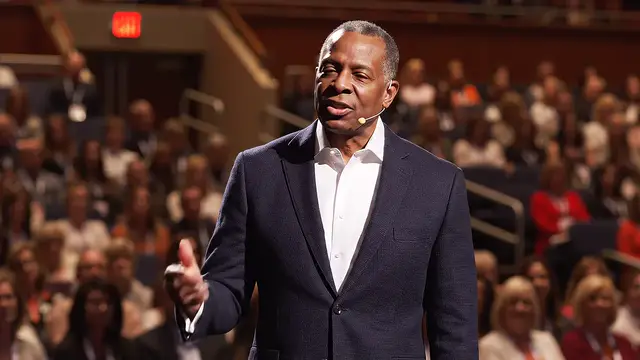 ProductAI lip sync for dubsMatch mouth movement to a finished dub: when it helps, when to skip it, limits and per-minute pricing.
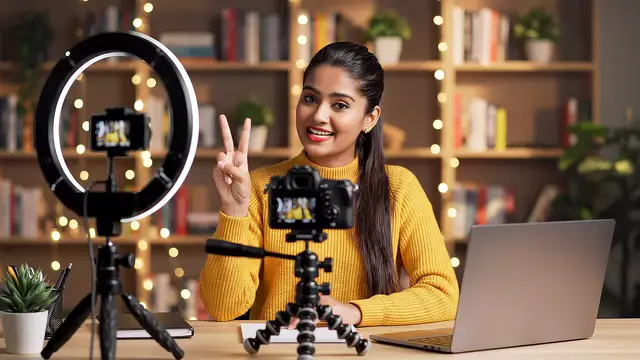 GuideMulti-language audio guideAdd an English audio track, or choose a separate channel.
 EarningMulti-language YouTube channelAudio tracks or a second channel per language: what YouTube says, real cases and a checklist.
 EarningYouTube sponsorshipsHow to get a YouTube sponsorship, how deals are priced and disclosed, and what to check before dubbing one.
 LessonHow to dub a videoSix steps to dub a video with AI: record, prepare, dub, lip-sync, check and publish.
Start with one clip
Hear your show in another language before you translate the archive.
Upload a highlight, see the minutes, then decide.
Upload my episodeOnly upload videos you have the rights to, with every speaker's permission.