Free AI dubbing, compared
Free AI video translator: what is really free, and what DubSync costs.
Dubbing that costs you nothing is built into YouTube and into Meta's apps, and it stays there: YouTube's automatic dubbing, whose help page lists no fee,1 and Meta AI translation for Reels, which Meta says is free.2 DubSync uses paid minutes to dub your own video and gives you an MP4 to download. Compare the original and dubbed tracks in the public example.
Translate my filePaid translation. Review the minutes before you confirm.
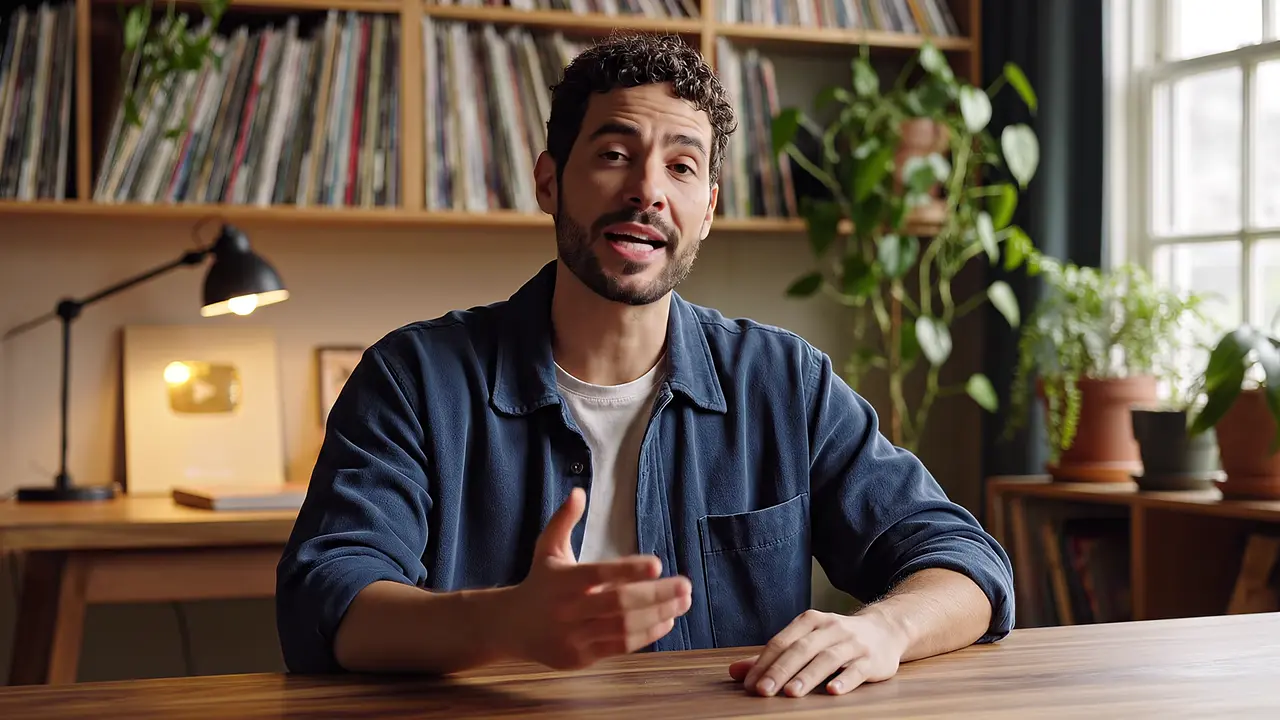
What is said: Eu gravo meus vídeos em português. Agora, o meu canal também fala inglês com uma voz parecida com a minha.
What is said: I record my videos in Portuguese. Now my channel also speaks English with a voice similar to mine.
What is said: Grabo mis videos en portugués. Ahora mi canal también habla inglés con una voz parecida a la mía.
AI-created illustrative scene. Not a customer result.
Lip-sync is an optional paid extra.
- Paid dubbing for your own file
- Minutes and cost shown before you pay
- 28 target languages
- MP4 out, no visible watermark
- Up to 150 min / 1 GB per video
The short answer
Three ways to translate a video without paying for a tool.
Two of these dub the video, and each stays on its own platform. The third gives viewers text to read instead of a voice. If one of them covers your video, use it and keep your money.
YouTube automatic dubbing
- No fee listed
- Videos on your channel
- An audio track on YouTube
YouTube generates translated audio tracks for videos on your channel and marks them as auto-dubbed in the description. The feature is switched on by default for eligible creators, and YouTube's help page lists no fee for it.1 In February 2026 YouTube said it was available to everyone, in 27 languages.3
It dubs from English into a set list of languages, and from other supported languages mostly into English. A video over 120 minutes, with very little speech or with copyrighted content may get no dub. YouTube says automatic dubs can contain errors. You can review one before it is published, and unpublish or delete it later.1
YouTube auto dubbingMeta AI translation for Reels
- Free
- Facebook and Instagram
- Plays on the reel
Meta AI translates and dubs a reel in a voice that mimics the creator's, with optional lip-sync, and shows viewers that the reel was translated with Meta AI. Meta says it is free for Facebook creators with 1,000 or more followers and for all public Instagram accounts, in countries where Meta AI is available.2
Meta opened it to creators in August 2025 with English and Spanish. Hindi and Portuguese followed that October, and updates to the same post in 2026 list more languages, not all of them on both apps.2 Meta's guidance for creators says that on Facebook the tool supports up to two speakers, and that translations work best with face-to-camera videos.4
Instagram Reels translatorSubtitles you add yourself
- Text, not a voice
- Added in YouTube Studio
- Viewers read along
If your viewers are willing to read, subtitles may be enough. On YouTube you add a language under Subtitles in Studio, then upload a subtitle file or type the text.5
YouTube's automatic captions are a transcript, not a translation: speech recognition creates them in the video's default language only,5 and YouTube warns that accents, dialects and background noise can make them wrong.6 DubSync includes a dubbed MP4, M4A audio and automatic SRT subtitles in the dubbing language.
Dub vs sub for creators
Free plans of other tools
What to check before you rely on a free plan.
Outside the platforms, every minute a tool processes costs its maker computing time, so expect a free plan to come with limits. Treat it as a sample until its terms say otherwise, and check six things before you plan a channel around it.
A logo on the video
Is the export stamped with the tool's logo? That is fine for a test and awkward on your channel.
Length per video
How long can one upload be? A cap of a minute or two shows how a short clip sounds, not a whole lesson.
Minutes per month
How much can you process, and does the allowance come back next month or is it a one-time gift?
The download
Can you download the finished file, or only preview it? At what resolution?
Commercial use
Do the terms let you monetize the result or run it as an ad while you are on the free plan?
What happens next
Is a card required? Does the free period turn into a paid subscription by itself, and on which date?
Free or paid
When free is enough, and when paying makes sense.
Free is enough when
- Your videos live on YouTube only, YouTube offers your language pair and someone who speaks the language says the automatic dub sounds right.1
- You post Reels on Facebook or Instagram, your account qualifies and Meta supports your language.2
- Your viewers are happy to read, and you have translated subtitles to add.
- You want to hear how dubbing sounds. Play the original and dubbed tracks in the public examples.
Paying makes sense when
- You need a file: one dubbed MP4 for TikTok, a course platform, an ad account, your own site, or several of these at once.
- The platform tool doesn't cover your case: a language pair it doesn't offer, a video over YouTube's 120-minute limit for automatic dubbing, or an account that isn't eligible.1
- You want the same dub everywhere: one file, with a voice created from each speaker, on every platform where you post it.
- You want to put your own dub on the platform. YouTube lets creators with access to advanced features add an audio-only track to a video,7 and a Facebook Page can upload its own dubbed audio tracks to a reel.4 DubSync includes a separate M4A audio download for your dubbed video.
What DubSync costs
Paid minutes for your own video.
An input minute is a minute of your original video, per target language. See the pricing page for current plans and packs.
Current prices- You upload first. DubSync shows the minutes your video needs and what they cost, and the dub starts only after you confirm.
- Usage is counted to the second. A 45-second clip uses 45 seconds of your minutes.
- For full paid dubs, each target language is its own project and uses the video's minutes again: a five-minute video dubbed into Spanish and into German uses ten input minutes. Downloading a finished MP4 again uses none.
- Monthly minutes renew each billing cycle and don't roll over. Minutes from a pack don't expire.
- Lip-sync is not included. It is an optional add-on for a finished dub, priced per minute and paid from its own prepaid balance, with a quote before it starts.
- What the minutes buy: a dubbed MP4, a voice created from each original speaker, your background audio kept and no visible watermark.
Before you pay
Hear a finished dub before you pay anything.
Three things to listen for
These illustrative clips use AI-generated scenes with fictional characters. They are not customer videos or recordings of an upload through the app. Play the original, then pick a language under the player.
- The voice. It is created from the original speaker, so it should sound similar, not identical.
- The background. Whatever sits under the speech in the original is kept in the dub.
- The lips. A track marked lip-synced shows the optional paid add-on; the other dubbed tracks are the dub alone.
An illustrative clip cannot show how your microphone, accent or music will sound in your result. For that, start with a short paid dub of your own material. More clips, sorted by kind of video, are on the examples page.

What is said: Welcome to lesson one. I teach in English and my students abroad hear this course in their own language.
What is said: Bienvenidos a la lección uno. Yo enseño en inglés y mis estudiantes en el extranjero escuchan este curso en su propio idioma.
AI-created illustrative scene. Not a customer result.
Lip-sync is an optional paid extra.
Your own video
How to start a paid dub.
Upload your original file
Sign in on the web and upload a supported video or audio file that you have permission to use.
Review the quote
Choose a language and check the required input minutes for the file you uploaded.
Fund and confirm
Use your paid balance or purchase minutes if needed. Confirm the speakers’ permission and your consent to AI processing before starting.
Listen and download
Review the finished dub, then download the MP4 and any available audio or subtitle files.
Before you upload
Free or paid, translate only what is yours.
If the video is someone else's, the price of the tool isn't the question. To watch it, you need no dubbing tool: on YouTube, viewers can switch between a video's original and dubbed audio tracks.1 To dub and repost it, you need the owner's permission and the consent of everyone who speaks in it, whatever the tool costs.
Questions
Questions before you start
Is DubSync free?
DubSync uses paid minutes to dub your own file. You can listen to the public examples on this page before starting.
Is YouTube's automatic dubbing really free?
As far as YouTube's own help page goes, yes: it lists no fee, and the feature is switched on by default for eligible creators.1 The limits are elsewhere: it dubs videos on your own channel, in the language pairs YouTube supports, and the dub is an audio track on that YouTube video.
Is there a free AI video translator without a watermark?
The platform tools mark a dub with a label. YouTube marks automatic dubs as auto-dubbed in the video description,1 and Meta labels a translated reel as translated with Meta AI.2 Both play on the platform itself, and neither page describes a file to download. For a tool that gives you a file, check the free plan for a stamped logo and a length cap first. DubSync provides a paid MP4 export with no visible watermark.
Can I hear a DubSync example before paying?
Yes. Play the original and dubbed tracks in the public examples on this page. To translate your own file, upload it and review the paid minutes it needs before confirming.
Is lip-sync free with a dub?
No. Lip-sync is an optional paid add-on for a finished dub. It is priced per minute and paid from its own prepaid balance, not from plan minutes, and you see the quote before it starts.
Can I translate a YouTube video for free by pasting its link?
Not in DubSync. It takes a video file (MP4, MOV or M4V) that you own or have licensed, not a link. If you only want to understand a video, switch to its dubbed audio track on YouTube, where one exists.1
Sources
- YouTube Help. Use automatic dubbing (help article 15569972). Accessed Oct 5, 2026.
- Meta Newsroom. Discover Reels From Around the World With Meta AI Translation. Published Oct 9, 2025; accessed Oct 5, 2026.
- YouTube Official Blog. Unlocking a global audience with auto dubbing. Published Feb 4, 2026; accessed Oct 5, 2026.
- Meta for Creators. Expanding Meta AI Translations for Creators on Facebook and Instagram. Published Aug 19, 2025; accessed Oct 5, 2026.
- YouTube Help. Add subtitles & captions (help article 2734796). Accessed Oct 5, 2026.
- YouTube Help. Use automatic captioning (help article 6373554). Accessed Oct 5, 2026.
- YouTube Help. Add Multi-language features to your videos (help article 13338784). Accessed Oct 5, 2026.
Keep exploring
Related pages
- PricingMonthly plans or a one-time Minutes Pack, priced by input minute.
 LessonYouTube auto dubbingWhat YouTube auto dubbing is and how to turn it off, review it or replace it with your own track.
 ProductInstagram Reels translatorDub your own Reels from the original file, and see when Meta's free translation is enough.
 ProductAI video translatorTranslate your video into 28 languages with a voice created from each speaker.
 ProductAI dubbingWhat AI dubbing is, how it compares with subtitles and a studio dub, and how to dub your own video.
 LessonDub vs sub for creatorsHow dubbing and subtitles compare on reach, accessibility and cost, and when to use both.
Paid dubbing
Translate your own video.
Upload the original, choose a language and review the minutes before you confirm.
Translate my fileTranslating your own file uses paid minutes. Listen to the public examples to hear how dubbing sounds.