AI lip sync
AI lip sync for your dubbed video. Match the mouth to the new language.
Lip sync AI tools do very different jobs. DubSync does one of them: after you dub a video into another language here, it adjusts the speaker's mouth movement to follow the new speech. It is an optional paid add-on for dubs up to 5 minutes long, priced per minute, and you see the quote before it starts.
Upload my videoPro: 7 days free for eligible new subscribers, with 60 minutes. Card required. Then $29.90/month; cancel before the trial ends to pay nothing. Trial minutes expire after 7 days.
Upload an MP4, MOV or M4V. You see the minutes and the cost before anything starts.
What is said: This talk was given in English. Tonight, every person in this room can hear it in their own language.
What is said: Esta charla fue dada en inglés. Esta noche, cada persona en esta sala puede escucharla en su propio idioma.
What is said: Esta palestra foi dada em inglês. Esta noite, cada pessoa nesta sala pode ouvi-la em seu próprio idioma.
Demo clip: an AI-generated scene with a fictional character. Dubbed with VDub v2, the model DubSync runs; lip-synced tracks use VSync v2.
Lip-sync shown in these examples is an optional paid add-on, separate from the dubbing trial.
- Optional add-on to a finished dub
- Up to 5 minutes per run
- Priced per minute, quote first
- Best with a clearly visible face
- Your plain dub stays available
What it changes
A dub changes the sound. Lip-sync changes the mouth.
After a dub, the picture still shows a mouth forming the original words. Lip-sync is the optional step that narrows that gap.
One clip, with and without lip-sync
Play this demo clip and switch between French and Spanish. French is a plain dub: the picture is untouched, so the mouth still forms the English words. Spanish has lip-sync added: the mouth movement was adjusted to follow the Spanish speech. The badge on the player says which track is which.
- Nothing is translated or voiced again. The audio is the dub you already made.
- The lip-synced video is saved as its own version, and your plain dub stays available.
- Nothing is lip-synced automatically. You start it on a finished dub, read the quote and confirm it.
What is said: I recorded this video once in English. Pick a language and hear the same video in a voice like mine.
What is said: Grabé este video una vez en inglés. Elige un idioma y escucha el mismo video en una voz como la mía.
Demo clip: an AI-generated scene with a fictional character. Dubbed with VDub v2, the model DubSync runs; lip-synced tracks use VSync v2.
Lip-sync shown in these examples is an optional paid add-on, separate from the dubbing trial.
An ad where someone speaks to the camera
What people see can change what they hear. In the 1976 experiment behind the McGurk effect, researchers dubbed a voice saying one consonant onto a face mouthing another. Heard alone, the sound was recognized well. With the mismatched face, people heard a different consonant.1 That was a lab test of single consonants, not of dubbed video, but it is one reason to care about the mouth when a face fills the frame, as it does in this demo ad.
- Video ads and product videos where a person speaks to the camera.
- Talking-head videos, vlogs and founder messages shot close up.
- Keynotes and interviews with tight shots of the speaker.
- Short vertical clips where a face fills the frame.
What is said: I filmed this ad once. Now the same ad speaks Spanish, Portuguese, and more without a reshoot.
What is said: Filmaba este anuncio una vez. Ahora el mismo anuncio habla español, portugués y más sin volver a grabar.
What is said: Eu filmei este anúncio uma vez. Agora, o mesmo anúncio fala espanhol, português e mais, sem refilmagem.
Demo clip: an AI-generated scene with a fictional character. Dubbed with VDub v2, the model DubSync runs; lip-synced tracks use VSync v2.
Lip-sync shown in these examples is an optional paid add-on, separate from the dubbing trial.
Skip it
Save the money when no mouth is on screen.
Lip-sync can only change a mouth the viewer can see. In these cases the plain dub is the finished product.
Voice-over
Narration over footage, slides or motion graphics. There are no lips to match.
Screen recordings
Software tutorials and walkthroughs where the speaker is heard, not seen.
Cartoons and stylized characters
Lip-sync is meant for a naturally speaking face, so start animation dubbing with the plain dub.
Gameplay and wide shots
The face is usually too small on screen for the lips to matter.
What to expect
It works best with a clearly visible face.
Lip-sync gives different results on different footage. Before you pay for a run, look at how the speaker appears in your video.
Works best
- A face turned toward the camera, well lit and in focus.
- Speech at a natural pace.
- A mouth that stays uncovered for the whole shot.
Take care
- Profiles and faces turned away from the camera.
- Hands, microphones or graphics that cover the lips.
- Singing and exaggerated mouthing. Lip-sync is meant for natural speech.
Don't expect an exact match. Watch the result at full size before you publish, and look closely at fast speech and close-ups. If it doesn't hold up, your plain dub is still there.
Dub first, then sync
Translate a video with lip-sync in four steps.
Dub the video first.
Upload an MP4, MOV or M4V and choose one of 28 languages. Lip-sync can be added to a finished dub in any of them.
Open the dub and start lip-sync.
It is offered for dubbed videos up to 5 minutes long. Pick one of two quality levels.
Read the quote.
It covers the whole video at that level's per-minute rate. If your lip-sync balance is short, you top it up first. Nothing starts until you confirm, and you can leave the page once the run has started.
Compare and download.
The lip-synced MP4 is saved as its own version beside your dub. Watch both and download the one that works.
Price and limits
Priced per minute, with the quote before anything starts.
Lip-sync is charged on top of the dub. It has its own prepaid balance and doesn't use your dubbing minutes. There are two quality levels, each with its own per-minute rate.
VSync v2
- The lower per-minute rate
A balance of quality and price. A reasonable first run for most talking-head videos.
VSync v2 Pro
- More detail
- The higher per-minute rate
More detail in the face, lips and teeth. Consider it for ads and close-ups.
- A run takes a dub of up to 5 minutes. A longer dub can't be lip-synced.
- The whole video is charged, including scenes without a face. Duration is rounded up to the second.
- Every run is its own paid version, so a second attempt is charged again.
- The quoted amount is reserved when you start. A failed run is still charged if the video service billed the processing. If it didn't, the reserve is released once that is confirmed.
- Dubs and lip-synced versions are each kept for 30 days. Start lip-sync while the dub is still stored, and download the version you want. Top-ups to the balance don't expire.
Both rates are listed in the Terms of Service, and the lip-sync window shows the exact total for your video before you confirm.
Built in, or separate
Platform lip-sync, or a file you keep?
YouTube is testing lip-sync inside automatic dubbing,3 and Meta offers it as an option when Meta AI translates a reel.4 If one of them covers your account, your language and the only place you post, use it.
| Platform lip-sync (YouTube, Meta) | DubSync lip-sync | |
|---|---|---|
| Who can use it | YouTube: early access for select channels, on qualifying videos and languages.3 Meta: Facebook creators with 1,000 followers or more and public Instagram accounts, in countries where Meta AI is available.4 | Any account with a finished DubSync dub of up to 5 minutes |
| Cost | Meta says translating reels with Meta AI is free.4 YouTube's help page lists no fee.3 | Paid per minute of the dubbed video, quote first |
| Where the result lives | On the platform: on your YouTube video3 or on your reel on Facebook or Instagram4 | In an MP4 you download and post wherever you upload video |
| Telling viewers | YouTube marks the video as auto-dubbed in its description.3 Meta labels each translated reel as translated with Meta AI.4 | DubSync posts nothing on any platform. Any label a platform asks for is yours to add |
DubSync's lip-sync is for the other case: you need the file itself, for an ad account, a second platform, a course or your own site. For YouTube's side, read how YouTube auto-dubbing works.
Before you upload
Sync only faces and voices you have permission to change.
Lip-sync changes the picture of a real person, not only the sound. If someone else is on camera, get their agreement to that as well as to the new voice. TikTok, for one, doesn't allow AI-generated or significantly edited content that uses the likeness of a private person, which includes their face and voice, without consent.5
Platforms also have label rules. YouTube requires creators to disclose realistic altered content that makes a real person appear to say or do something they didn't. Its examples exempt cloning your own voice for a voice-over or dub, and they don't mention lip-synced dubs by name.6 TikTok requires a label on AI-generated or significantly edited content that shows realistic-looking people or scenes. Its examples include AI tools that make it look like someone said something they didn't, and AI-generated audio that mimics a real person's voice.5
Questions
Questions before you start
Can I lip-sync a photo, an avatar or a video with my own audio?
No. Lip-sync runs only on a video you dubbed in DubSync. Upload the original video, dub it, then add lip-sync to that dub.
Is lip-sync free, or included in the price of a dub?
Neither. DubSync has no free plan. A dub is paid in input minutes. Lip-sync is paid per minute of the dubbed video from a separate prepaid balance, only when you start a run, and you see the total before you confirm.
My video is longer than 5 minutes. What can I do?
A dub can be up to 150 minutes long, but lip-sync only accepts dubs of up to 5 minutes, and it can't run on part of a video. Cut the part where the face matters into its own file, dub that file and lip-sync it.
Will the lips match exactly?
Not always. The result depends on the footage, so watch it before you publish. If it doesn't hold up, use the plain dub, which stays as it was. Another run is a separately paid version.
Which languages can be lip-synced?
Any of the 28 target languages. Lip-sync runs on a finished dub, and DubSync doesn't limit it by language. The result still depends on the footage.
Does it work on cartoons or anime?
We don't recommend paying for it there. Lip-sync works best with a clearly visible, naturally speaking face, and a drawn character is not one. Dub animation you own or have licensed, and judge the plain dub first.
Do I have to label a lip-synced video as AI?
That depends on the platform, so read its rule before you post. TikTok requires a label on AI-generated or significantly edited content that shows realistic-looking people.5 YouTube requires disclosure of realistic altered content and says that disclosing doesn't limit a video's audience or its eligibility to earn money.6 If you are unsure, add the label.
Plans from $4.90/month. You see the minutes and the cost before anything starts. See pricing
Sources
- Frontiers in Psychology. What is the McGurk effect?. Published Jul 10, 2014; accessed Oct 5, 2026.
- YouTube Help. Add Multi-language features to your videos (help article 13338784). Accessed Oct 5, 2026.
- YouTube Help. Use automatic dubbing (help article 15569972). Accessed Oct 5, 2026.
- Meta Newsroom. Discover Reels From Around the World With Meta AI Translation. Published Oct 9, 2025; accessed Oct 5, 2026.
- TikTok. Community Guidelines: Integrity and Authenticity. Published Aug 25, 2026; accessed Oct 5, 2026.
- YouTube Help. Disclosing use of GenAI content. Accessed Oct 5, 2026.
Keep exploring
Related pages
 ProductAI dubbingWhat AI dubbing is, how it compares with subtitles and a studio dub, and how to dub your own video.
 ProductAI video translatorTranslate your video into 28 languages with a voice created from each speaker.
 Use caseVideo ad localizationDub a proven ad or UGC clip for a new market, and see what a dub leaves for you to localize.
- LessonHow to dub a videoSix steps to dub a video with AI: record, prepare, dub, lip-sync, check and publish.
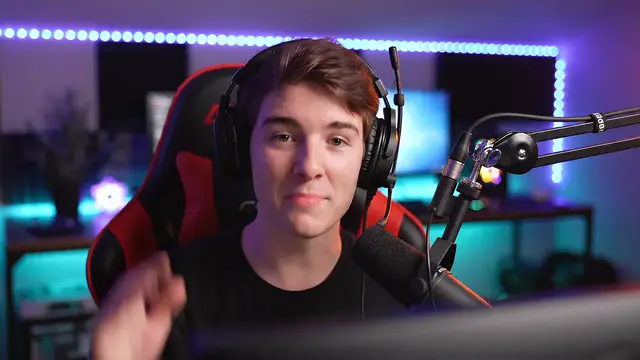 LessonYouTube auto dubbingWhat YouTube auto dubbing is and how to turn it off, review it or replace it with your own track.
- PricingMonthly plans or a one-time Minutes Pack, priced by input minute.
Start with the dub
Dub the video first. Then decide whether the lips need to match.
Upload it, see the minutes, then decide.
Upload my videoOnly upload videos you have the rights to, with every speaker's permission.